
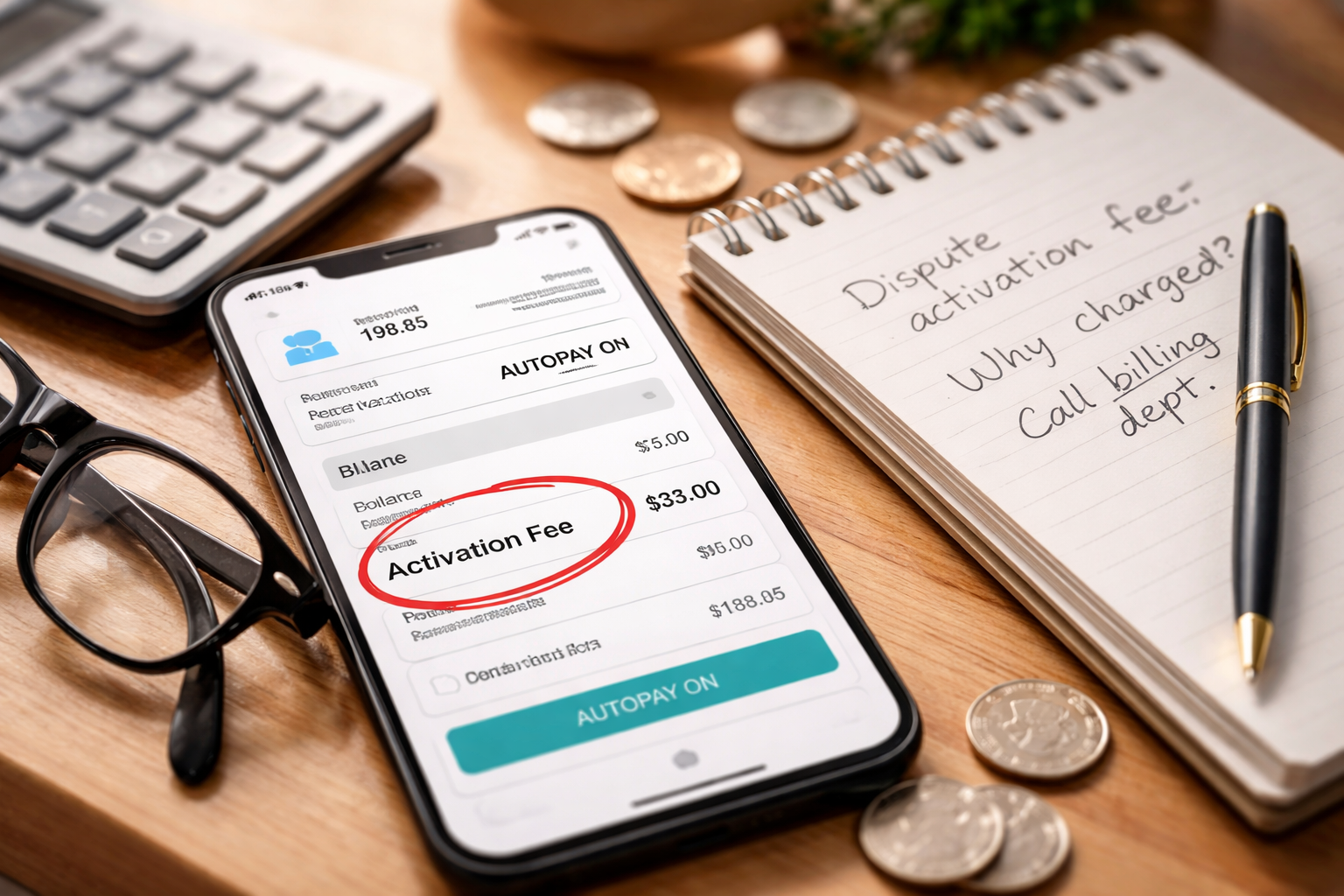
Mobile bill activation fee dispute — I wasn’t “reviewing statements.” I was doing the quick check everyone does: make sure autopay wouldn’t surprise me. The total looked higher than normal. I tapped into the bill details and saw it—an activation fee—sitting there like it belonged. Same line. Same confidence. Wrong reality.
I didn’t feel dramatic. I felt alert. Because small, confident charges are exactly how billing mistakes become “normal” if you don’t interrupt them fast. If you’re dealing with a mobile bill activation fee dispute right now, the goal isn’t to argue about feelings. The goal is to force the account to answer one question: “What exact event did your system treat as an activation—and where did I agree to pay for it?”
Before You Call Anyone: Capture Proof in 4 Minutes
Most mobile bill activation fee dispute wins happen because you show up prepared. Not with speeches—just with the right screenshots and dates. Do this first, even if you’re angry, even if the charge is “only $35.”
- Screenshot the bill page that lists the activation fee (include date and amount).
- Screenshot your plan/line details showing it’s not a new line (if visible).
- Find the timeline: when you upgraded, swapped devices, or changed anything.
- Check whether the fee appears as “Activation,” “Upgrade/Activation,” “Assisted Support,” or “One-time charge.”
Do not start with chat if your carrier’s chat hides transcripts. If you use chat, insist on a transcript link or copy/paste it immediately.
Why This Fee Appears When You Didn’t “Activate” Anything
In a typical mobile bill activation fee dispute, the carrier’s system isn’t “deciding” the fee like a person. It’s reacting to an event code: new line workflow, SIM provisioning, rate plan migration, device activation, or store-assisted change.
The problem is that normal actions get mis-labeled as activation events:
- Switching from physical SIM to eSIM (or re-downloading an eSIM)
- Upgrading a device online and selecting the wrong option in checkout
- Plan change that triggers a “re-provision” event
- Store rep choosing “new activation” workflow instead of “upgrade”
- Temporary line suspension → reconnection treated like a fresh activation
The billing line looks official, but it often represents a workflow choice—not your consent.
Pick the Path That Matches Your Situation
Use this box like a decision map. Read the path that matches you and follow only those steps. This is how you avoid generic advice and win your mobile bill activation fee dispute faster.
Path A — Online Upgrade, Fee Appeared Later
You upgraded a phone, changed a plan, or adjusted features online (app/website). After that, an activation fee appeared.
Path B — eSIM / SIM Swap / Device Reset
You moved your service to a new device, reinstalled eSIM, replaced SIM, or did a factory reset and reconnected.
Path C — Store/Agent “Helped” and You Got Charged
You visited a store or contacted support, and afterward you see an activation fee (or “assisted support” type charge).
Path D — You Opened a New Line, But Fee Was Not Disclosed
You did add a line, but you were never shown the fee clearly during checkout or the rep never said it.
Path E — Fee Reappears Every Month or After Credits
You already got a credit once, but the same fee (or similar one-time charges) keeps coming back.
Path A: Online Upgrade or Plan Change (Strongest Dispute Pattern)
Path A is where many mobile bill activation fee dispute cases are won, because a plan change is not automatically an “activation” unless you clearly accepted a fee. The carrier will often say: “It’s standard.” Your job is to make “standard” irrelevant by focusing on disclosure and authorization.
- Ask billing: “What exact event code triggered the activation fee on this line?”
- Ask: “Was this coded as a new line activation or an upgrade activation?”
- Say: “I did not authorize a new line. I changed my plan/upgrade only.”
- Request reversal: “Please remove the activation fee and confirm the adjustment appears on the current bill.”
If they say ‘the system applied it,’ respond with: “I’m not disputing the system. I’m disputing consent and disclosure.”
If the agent pushes back, request a supervisor or “billing escalation team.” Do not accept “I can add a note.” Notes don’t remove charges.
Path B: eSIM, SIM Swap, or Device Reset (Where Systems Get Confused)
For Path B, your mobile bill activation fee dispute depends on proving you did maintenance—not a new activation. Carriers often treat provisioning events as billable “activation.” That’s exactly the gap you exploit: you never agreed to pay for maintenance.
- State: “This was a device change/eSIM re-download, not a new activation.”
- Ask: “Is the fee tied to provisioning or ‘activation’ workflow?”
- Ask: “Was I charged because the system thought it was a new line?”
- Request: “Remove the fee and mark the line so future eSIM reissues don’t trigger charges.”
Key tactic: ask for “a one-time courtesy reversal due to non-disclosure” AND ask them to check whether the fee is set to recur or auto-apply on future provisioning events.
Path C: Store Visit or Agent-Assisted Change (You Have Leverage)
Path C is common: “I went in for help and got billed.” In many mobile bill activation fee dispute cases, the store or agent used an assisted workflow that auto-attached a fee. If you were never told, you have a clean dispute angle.
- State: “I did not approve any activation fee during the interaction.”
- Ask: “Was this coded as ‘assisted support’ or ‘in-store activation’?”
- Ask: “Can you see the agent/store ID or transaction reference?”
- Request: “Remove the fee due to lack of disclosure and confirm the credit appears today.”
If they insist it’s valid, ask for the transcript or receipt where the fee was disclosed. If they can’t show it, you press for reversal.
Path D: You Added a Line, But the Fee Was Not Clearly Disclosed
Even if you did add a line, a mobile bill activation fee dispute can still succeed if disclosure was missing or unclear. The argument becomes: “I would not have proceeded if the fee had been clearly presented.” Keep it simple.
- Ask: “Where was the fee disclosed before checkout?”
- Say: “I did not see or accept that fee during checkout/with the rep.”
- Request: “Please remove it as a courtesy due to unclear disclosure.”
This is not about proving they can’t charge it—it’s about proving you never knowingly accepted it.
Path E: The Fee Comes Back (The “Sticky Charge” Problem)
If you already got a credit once but the charge returns, your mobile bill activation fee dispute needs an additional step: preventing recurrence. This usually means the account has a setting, pending order, or repeated provisioning trigger.
- Ask: “Is there an open order, pending provisioning, or recurring charge code attached?”
- Ask: “Can you remove the underlying code so it doesn’t reapply next cycle?”
- Request: “Please confirm in writing that activation fees won’t apply to this line for this issue.”
Do not accept repeated monthly credits as a solution. It increases the chance the next agent refuses and you lose momentum.
What to Say (Short Script That Works)
Use this exact structure for a mobile bill activation fee dispute. It keeps the conversation controlled.
- “I’m disputing an activation fee on my mobile bill.”
- “I did not authorize a new line or activation.”
- “What exact event code triggered this fee?”
- “Where was this fee disclosed before I took that action?”
- “Please remove the fee and confirm the adjustment appears on the current bill.”
Keep repeating the two anchors: event code + disclosure.
Escalation Ladder (When the First Agent Says No)
Many mobile bill activation fee dispute cases fail because people stop at the first “no.” Don’t. Escalate cleanly, without threats.
- Step 1: Billing department (not general support)
- Step 2: Supervisor / billing escalation
- Step 3: Office of the President / executive escalations (carrier-specific)
- Step 4: File a complaint with a regulator if needed
For reputable federal consumer guidance about phone bills and billing clarity, the FCC has a consumer guide:
Use escalation as a process, not a threat. “I’m requesting a billing escalation” sounds professional and gets routed faster.
Absolute Don’ts (These Kill Approvals and Kill Refunds)
These mistakes show up repeatedly in mobile bill activation fee dispute stories:
- Don’t wait two billing cycles. Dispute immediately.
- Don’t argue “it’s unfair.” Argue “I never authorized it.”
- Don’t accept “I noted your account.” Require an adjustment confirmation.
- Don’t cancel your line first if you need credits applied. Get resolution first.
- Don’t initiate a bank chargeback until you’ve documented carrier refusal (it can complicate service).
If you need leverage later, your clean timeline is your leverage.
Self-Check Checklist (Make Your Situation Match a Winning Pattern)
- Can you name the exact date you changed something (plan, device, SIM, eSIM)?
- Do you have a screenshot of the activation fee line item?
- Do you know whether this was a new line or an existing line?
- Did anyone clearly disclose the fee before the action?
- Did you request the “event code” or trigger reason tied to the fee?
If you can answer these, you’re already ahead of most disputes.
Related Guides You Should Read Next
Activation fees often appear alongside other mobile and subscription billing problems. These three are the closest next reads on billingdisputehelp.com:
If the total bill looks wrong beyond the activation line, start here:
If your “upgrade” or “new plan” cost doesn’t match what you picked, this one helps you isolate the mismatch:
If the activation fee appeared near travel or network changes, check roaming charges too:
FAQ
Is an activation fee always valid?
No. A valid fee usually depends on clear disclosure and a real activation event—not a mislabeled workflow.
What if they offer only a partial credit?
In a mobile bill activation fee dispute, partial credits can be fine if you agree—but ask them to confirm the remaining balance and ensure the fee won’t reappear.
Should I dispute with my credit card company?
Consider it only after internal escalation fails and you have your timeline documented. Start with the carrier first.
What if autopay already pulled the money?
You can still run a mobile bill activation fee dispute. Ask for a credit back to the payment method if possible, or a bill credit on the current cycle.
What if the fee was for “assisted support” not “activation”?
Treat it the same: ask what event triggered it and where you consented. If you weren’t told before the action, you have a dispute angle.
Key Takeaways
- mobile bill activation fee dispute wins are built on two things: the event trigger and the disclosure record.
- Pick the path that matches your situation and follow targeted steps.
- Don’t accept notes—get a confirmed adjustment on the bill.
- Prevent recurrence if the charge has already “come back” once.
I didn’t win my mobile bill activation fee dispute by debating policies. I won by narrowing the conversation until the charge had nowhere to hide: “What did your system mark as an activation, and where did I accept the fee?” Once I forced that clarity, the “standard fee” argument fell apart.
Right now, do this: open your bill, screenshot the activation fee line, write down the date you changed anything (plan/device/SIM), then contact billing today and ask for the event trigger and disclosure record—then request removal and confirmation on the current cycle. That’s the fastest path to stop the charge from becoming “normal.”